
Image Makers.
An introduction to image generating AI tools. For beginners.

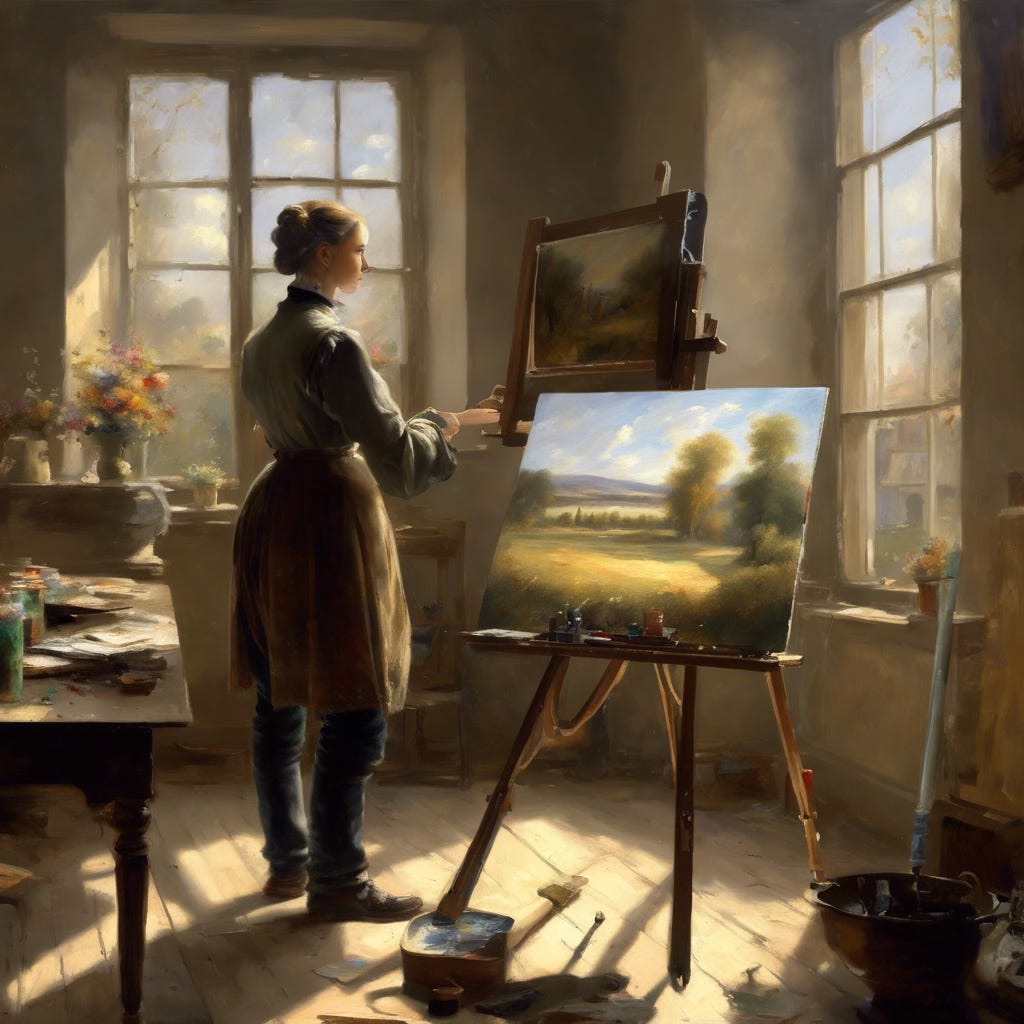
Image generated using the prompt: “Imagine AI as a 19th century French painter painting on an easel with a few fellow painters watching. Put a computer in the background and let bright sunlight shine through a window onto the scene.” Using Dream Studio from Stability.ai.
Is she wearing jeans? Also no computer and no audience. I had something like this Henri Fantin-LaTour painting in mind. But who is complaining?
Update, April 8, 2024: Since I wrote this article, ChatGPT has integrated DALL-E image generator into its chat engine.  You just have to preface your image description with “create an image”. Check it out in your ChatGPT account.

I expect this integration trend to continue across vendors: it is similar to how mail, calendar and to-do lists are now integrated into a single UI.
Goal for this post
Introduction to image generating AI tools. For beginners, like me. Idea is to give you a flavor of what they can do. Not doing any technical explanation of how they work, and definitely not doing an exhaustive product review.
My criteria
I have chosen big brand-name generators who are likely to dominate the market in coming decades. Ones that are easy to get started with. As I do more reviews, I will start looking for interesting niche players also.
What are image generation tools?
Image generation tools help you create and edit new art, diagrams, charts, photos, and videos. Generated from a text “prompt” you type describing the image you want. You can also upload a few photos or images of your own and AI will try to replicate the content and style in its work.
How do they work?
Um. They just work. Most of the times. I mean, do we want to know about Neural Networks, Generative Adversarial Networks and Stable Diffusion? Ignorance is Bliss? But, if you still insist, you can start with See how AI generated images from text article in Scientific American, and A basic introduction to Image Generation methods blog post.
Why should I care?
Now, any employee with a computer can generate her own artwork: logos, creative art for publications, graphics for presentations, videos for training, diagrams and graphs, and more. All accessed through natural language conversation with the image generator. Do it fast, and cheap. Reduce time to market for any idea or product. Empower every employee, while keeping a corporate-wide standard in place.
Whether you are in marketing or sales, accounting or finance, engineering or manufacturing - your job can be enhanced by image generators.
Is it perfect? No. But AI has just taken its first step. Walk with it.
Let’s start.
Read these brief reviews. Use some of these tools. Generate stuff that matters to you. Look at the positives and negatives of the result and the experience. When you are done, ask yourself:
Can image generation make me more efficient and creative at work?
How can I leverage it to enhance my career?
Common Features
Generate images (photos or vector art) from text or uploaded photos.
Present multiple variations, which you can further edit.
Change style, add/remove features, change resolution, etc.
Export the result into traditional photo/art tools like Photoshop.
Download for free and use it for any purpose, including commercial.
Can’t draw hands, can’t do text-in-picture etc.
Store your generated art on your computer or with the vendor.
Large library of artwork created by others’ prompts. Free to use.
Paying for subscription gets you better quality, speed and features.
Legal Beagle
Many of the billions of photos and artwork used to train these tools are likely to be copyrighted. In fact, artists are beginning to file lawsuits. Since the AI market will be very large, I am sure they will work out some reasonable compromise on copyrights. On the other hand, tools like Adobe Firefly avoid this issue by usoing only licensed images or ones that don’t require license to use.
Adobe Firefly
Image generator for everyone.
Easy to use and connected with other Adobe graphics tools.
Free. Also part of Adobe Creative Cloud product set.
https://firefly.adobe.com
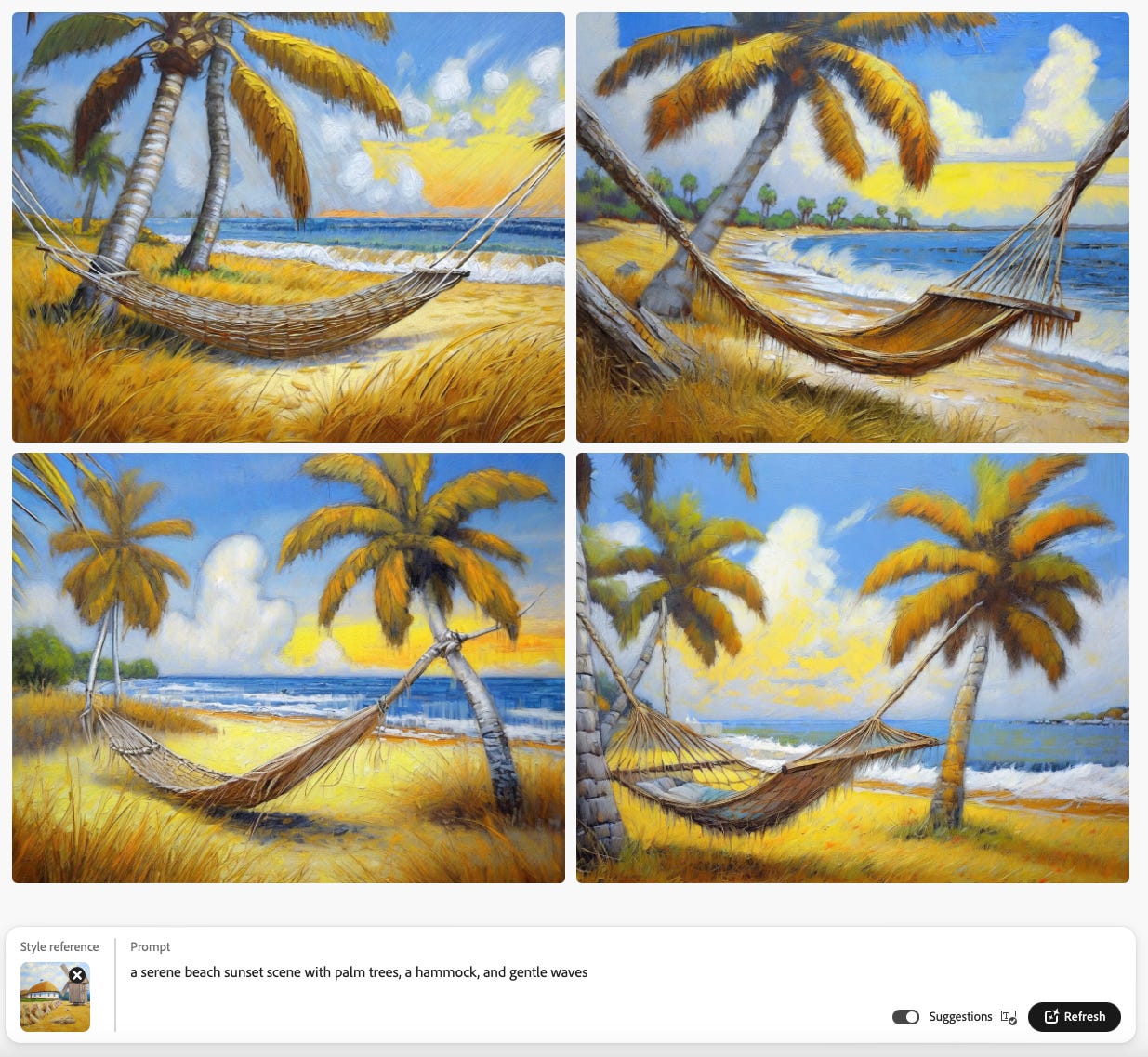
Firefly is free to use on the web. At least for now. It is easy to use and genetates high quality images. It is also part of the Adobe product set, so it is easy to export the output into Adobe products like Express and Photoshop. Also worth noting that Adobe avoids the usual copyright issues by training its AI only on Adobe’s ownstock images and other open license content. And, last, but not the least, Firefly also has a large library of images it generated that we can download and use, for example:
I also prompted it to generate a “SuperDog” coming to rescue the world, with this prompt:
“A heroic dog wearing a red cape is flying through the sky with a bright sun and a few clouds in the distance.”
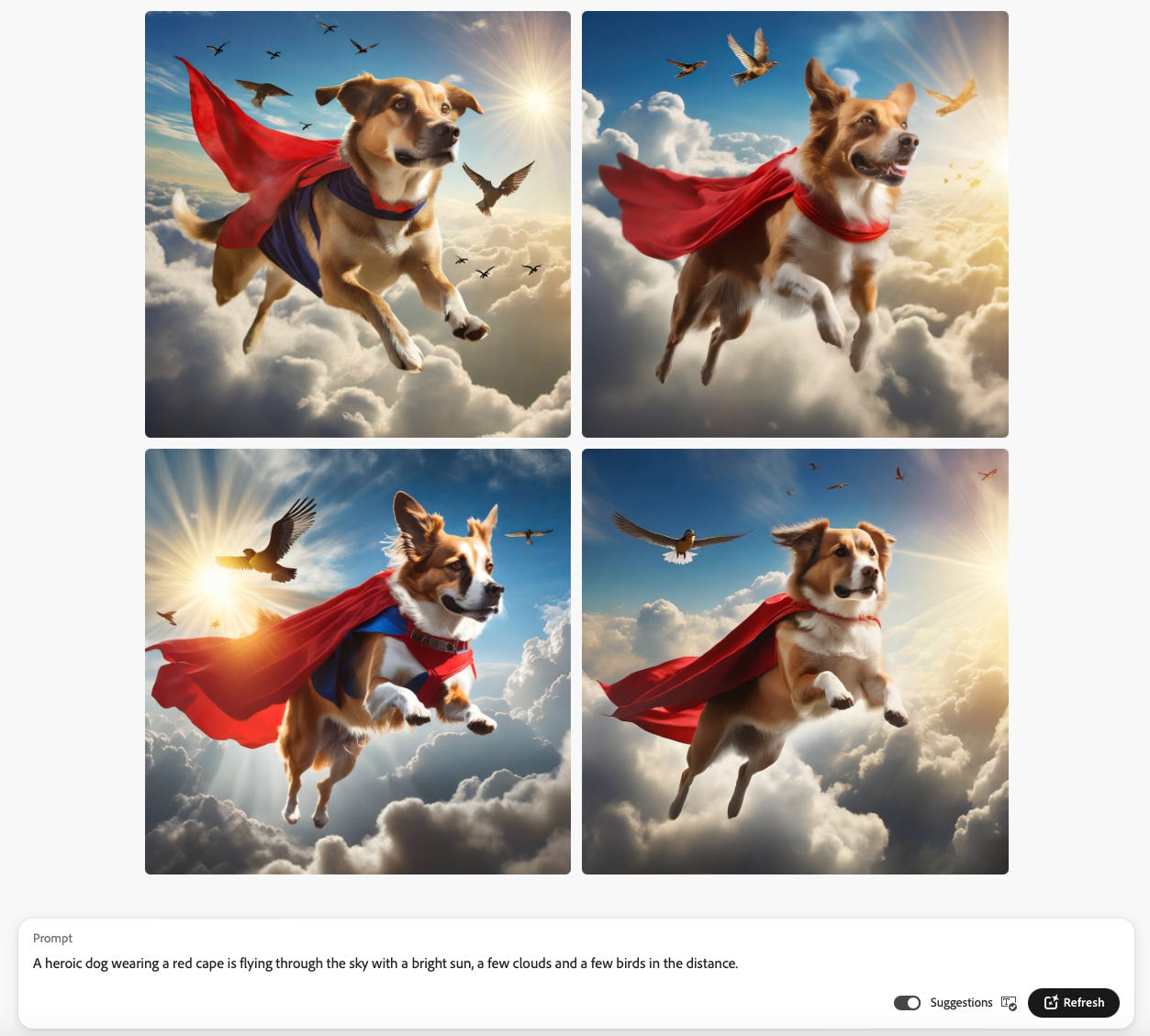
Summary: clean, simple and easy user interface, integrated with other Adobe tools and uses non-copyrighted materials for its generation. Cool. Try it out, especially if you are just getting started. You will like the straightforward approach.
Microsoft Bing
Powerful chat and image generation tools licensed from OpenAI.
Becoming integrated with other Microsoft products. Maybe even Windows itself.
Free.
bing.com then pick “Chat” at top.
Microsoft Bing search engine uses OpenAI’s ChatGPT as well as Dall-E. Like Adobe and Google, Microsoft is rapidly integrating these AI into its consumer and enterprise applications.
Prompt: “Create an image of a dog wearing a red cape who is flaying through air with bright sun and a few fluffy clouds. Dog seems happy.”
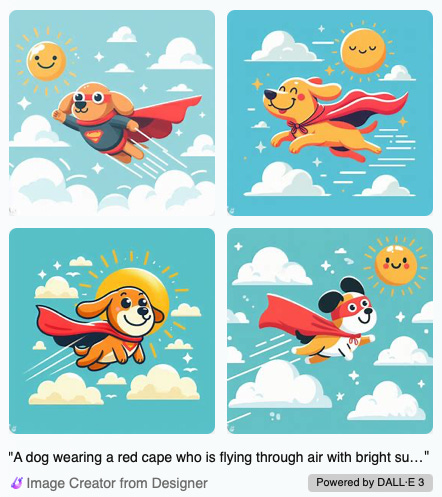
Bing image generation is powered by OpenAI’s Dall-E3. They got a lot of details right, especially the part about dog being happy. It also made the sun happy. Note I just asked them to create a “picture”, which can be a photo, or art done in different style. Glad that it picked this comic book tone which matches well with the prompt. Also, I like the brevity of features - it has only those components I asked for - is appreciated.
Oh and Bing being a search box player also, the same prompt is sent onto regular search engine and you just have to scroll down in the generative “Chat” page to get the search results. Neat. I am sure search engines will keep improving the search part as well - they don’t want to give up search revenue to AI-focused companies.
Dall-E
Prominent, first-mover.
Not free any more. Bundled into ChatGPT Plus (aka ChatGPT 4)
chat.openai.com
Dall-E is a powerful tool for image generation. Along with MidJourney, Dall-E was one of the first to launch in a big way. Unfortunately, as of the writing of this post, it is only available as part of their “Plus” subscription product. Since the days of OpenAI’s developers conference and OpenAI’s board turmoil, there is a waitlist for ChatGPT-4 and Dall-E3.
However, you can access Dall-E3 on Microsoft Bing. You can also use previous version, Dall-E2, for free, at labs.openai.com. You will need to create a free account on OpenAI to use it.
And here is a prompt to Dall-E3 via Bing: “A chart showing the last 20 years of US GDP”:
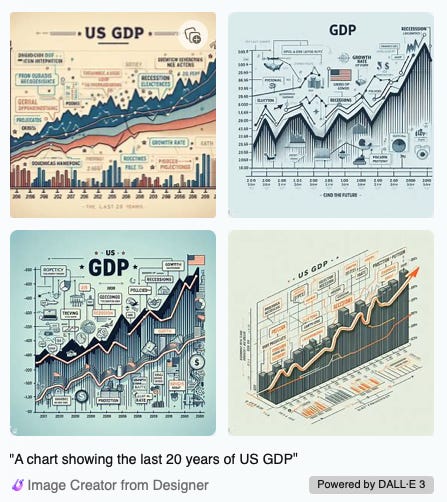
This, as you can see, is nonsensical. I wanted specifics and I got generalities. Image generators are not good, at this time, at making business charts and diagrams. By the way, they are also not good at drawing hands or incorporating real sensible text into the image either.
And another one: “A diagram showing connection between atoms and molecules.”
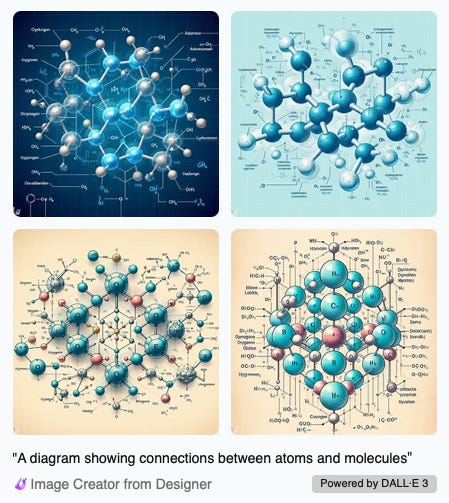
For this, I had a very non-specific prompt, and I could argue that I got exactly what I asked for.
Lesson learned: if you want something specific, you have to at least give a good, specific prompt. So valuable is this lesson that “Prompt Engineering” has popped up as a new job role, and entire courses have been developed to teach it. Most are quite technical and beyond our scope, but if you are interested, just search for it on Google. Amazon has a pretty solid introductory article: What is Prompt Engineering? If you are an expert in your field, maybe you can get trained on this and add to your corporate cachet.
Here is Dall-E2 with our heroic dog, in Impressionist style:
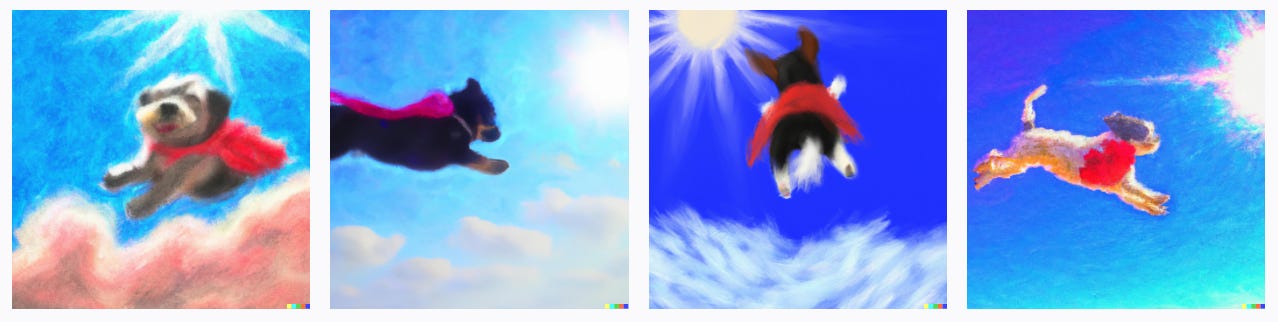
Overall, Dall-E3 interface is not much different from others’ these days. I don’t see a clear differentiation compared to others here. I would be curious to see how Dall-E will differentiate.
Dream Studio
Free to try
stability.ai | dreamstudio.ai
Our heroic dog in “Comic Book” style":
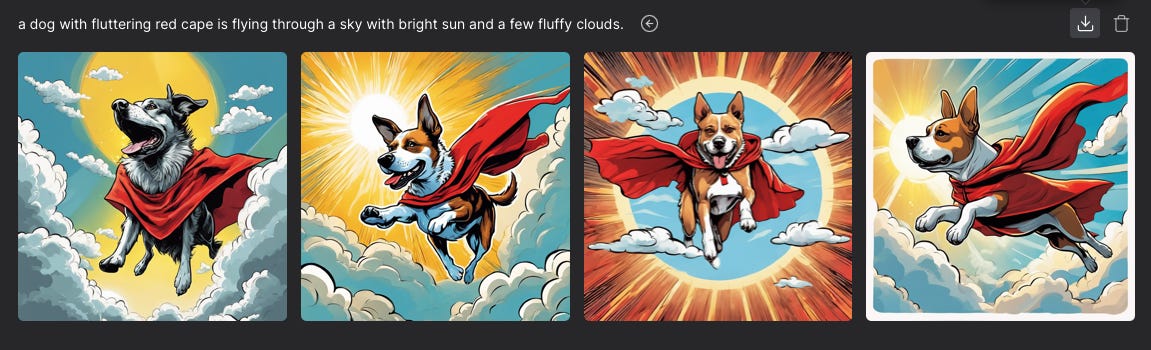
With “Digital Art” style:
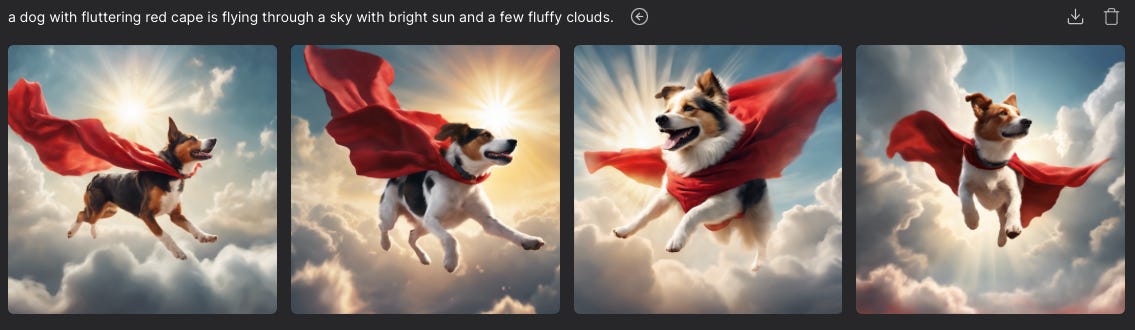
Both good quality.
Leonardo
Popular with creatives.
$0/month to $8.33/month
leonardo.ai
Here is “a heroic dog with a red cape is flying in a sky with bright sun and a few clouds.” Pretty well done.
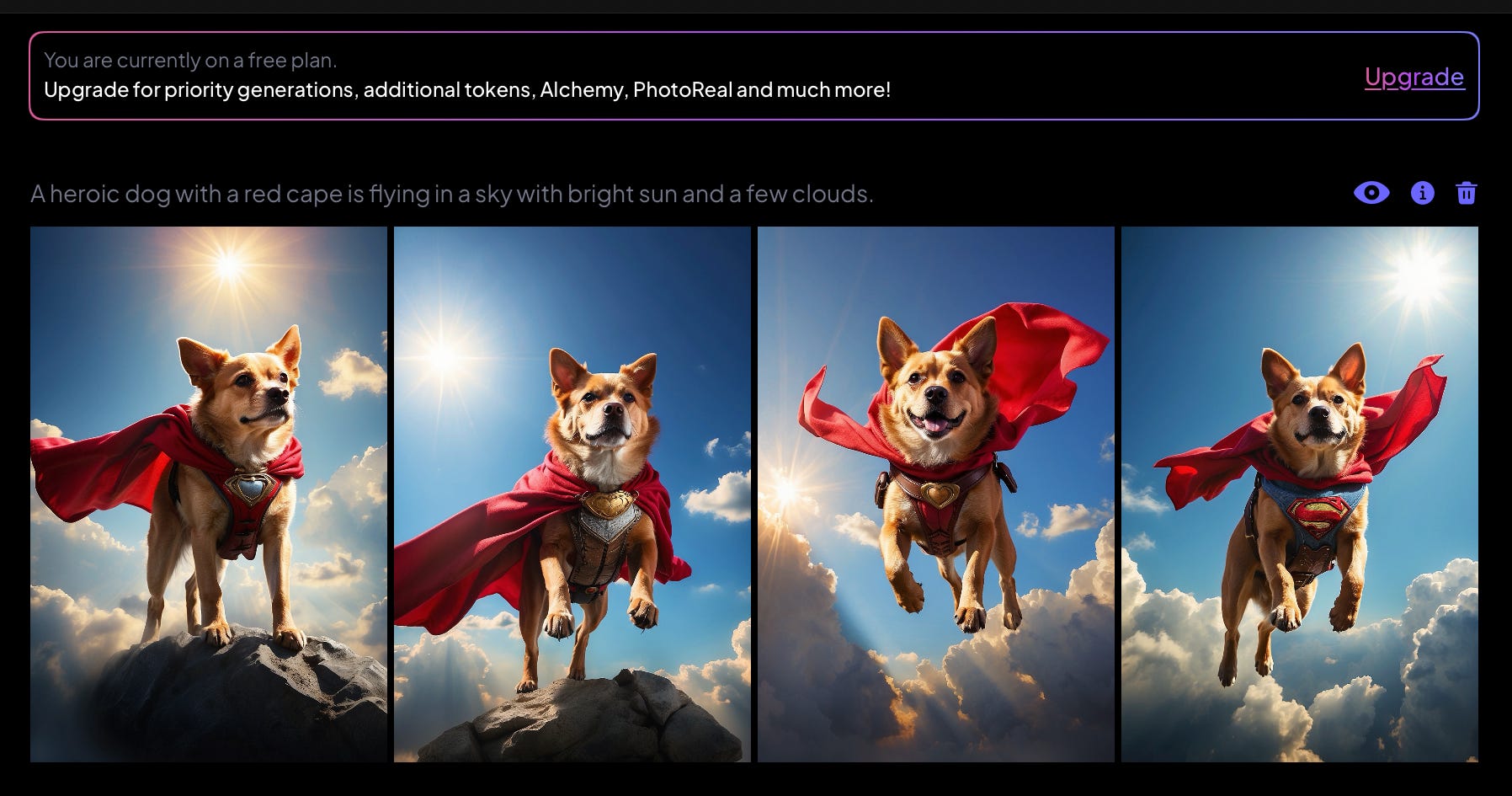
Same prompt, but with a style called “illustration”. Looks pretty real.
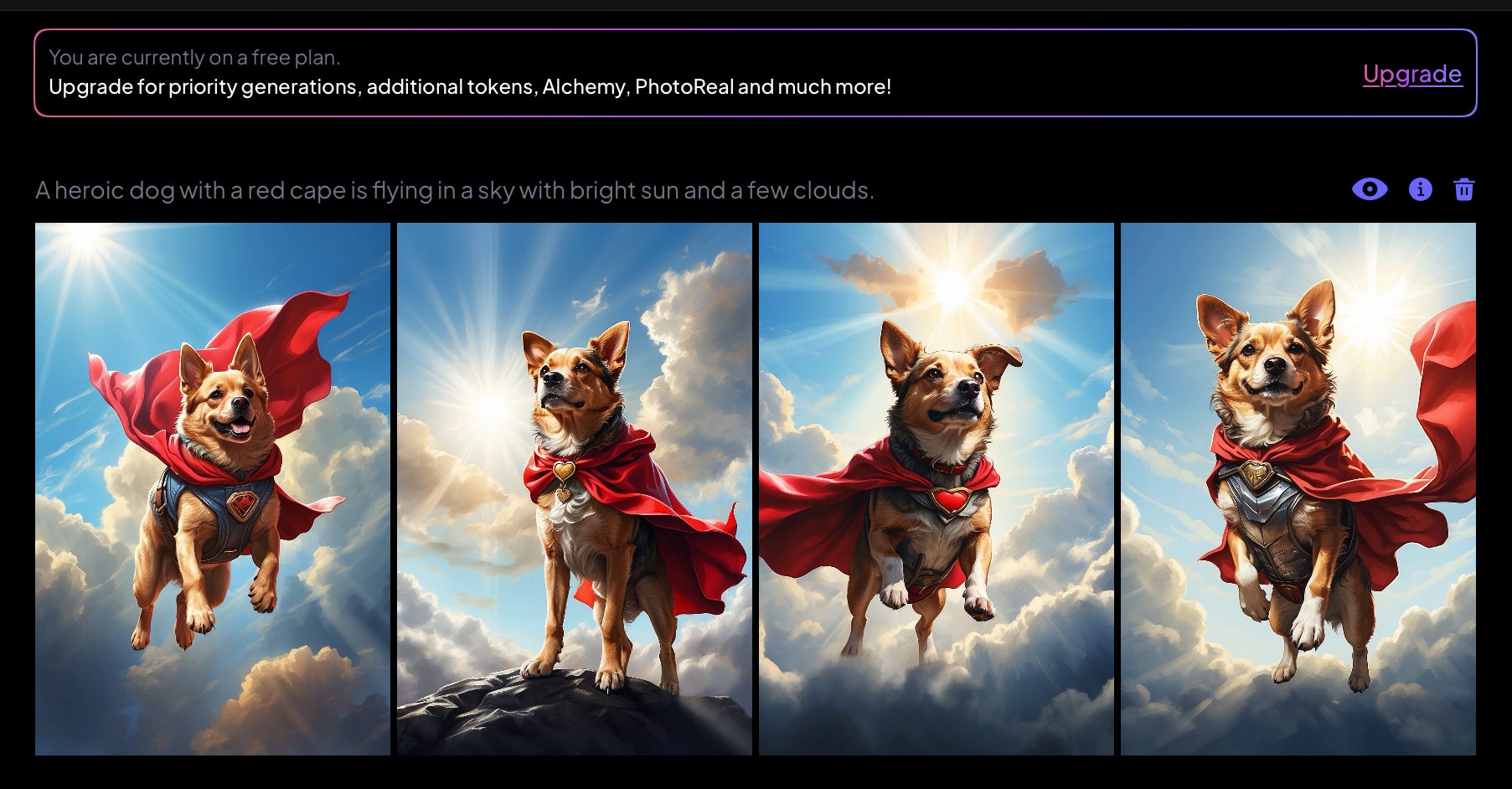
Leonardo seems to be a pretty capable engine with a reasonable set of options. Results feel solid, high quality. Pricing is very affordable.
I also asked Leonardo to show me “A line chart showing United State’s GDP from 2000 to 2020. Show Grid, axes, labels, and legend.” Urgh.
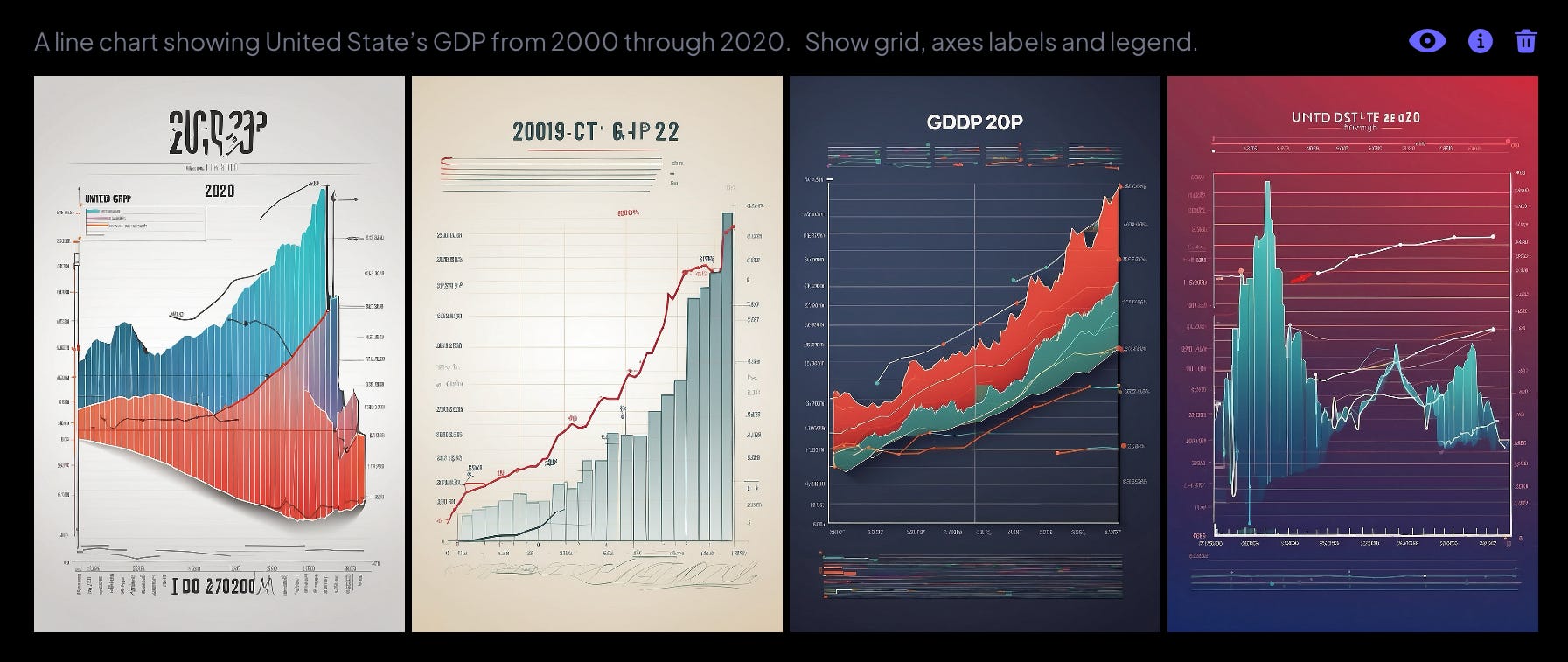
A real chart of real data from St. Louis Fed:
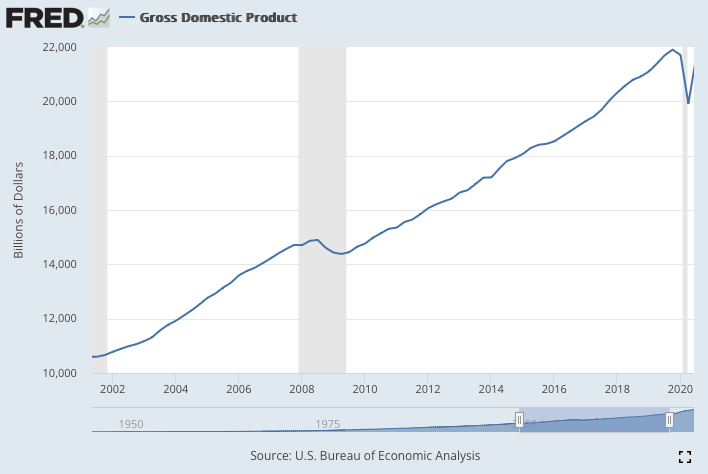
So, maybe, the current image generators are optimized for popular or cultural content, and not necessarily for business / professional content.
Google
Not launched yet. Expect integration with Google Search, Workspace etc.
As of early December 4, 2023, Google does not have a publicly available image generator. They are testing, with a few invited users, an image generator accessible from its search box. Google calls this integration SGE: Search Generative Experience. Google has also announced two image generation methods Parti and Imogen.
Google must be taking AI very seriously and I am sure they will release a serious new image tool shortly, and I expect that to be of similar quality and innovation as Google Bard.
Midjourney
Early pioneering generator that is popular.
$8/month to $96/month.
midjourney.com | Requires a free account on Discord.com also.
Unfortunately, Midjourney, a pioneering tool, has also eliminated free tier. There is not even a free trial now. When I build up the courage to purchase it, I will do a more in-depth review. In the meanwhile, I don’t think you are losing a lot if you are not able to try out Midjourney.
One unique thing about Midjourney is that it has to be accessed from Discord, a real-time, interest-based group chat site. So, initially, it is harder to get started. But once you start, Midjourney interface is pretty much same as others’.
Update: Seems midjourney is going to get a “Imagine” prompt box like others.

Also here is an example of limitations of image generators:
Prompt: “ Single water molecule, made of one oxygen and two hydrogen atoms, 3D”
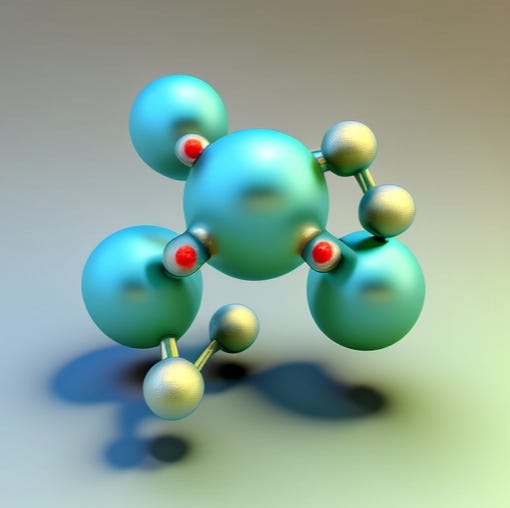
Um. Not a water molecule. What I don’t understand is why generators could not have learned about specific molecules. There must be quite a few H2O molecule images available out there, like this one from Shutterstock:
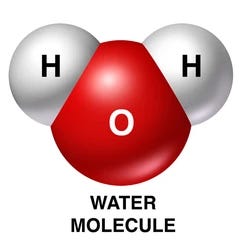
Lot of these “Why don’t they do this?” questions are likely to be answered by: “AI is not prescient, nor does it understand things, nor does it try to copy pictures out there. It is learning from the pictures out there, so it can create new things. We don’t know how it learns, but we are working on it.”
Fair enough. Lets moderate expectations and use it today for what it can do today?
Photoai
Photo-realistic images of humans
Limited # of free credits and then $33/month and up
photoai.com | avatar.ai | headshotpro.com
Specializes in human photos: portraits, poses etc. Upload a few of your personal photos of, selfies included. Photoai.com will then create new photos of you, in new poses, clothing and surrounding environment. It can also generate new photos based on themes like “Old Money” and “Nature.”
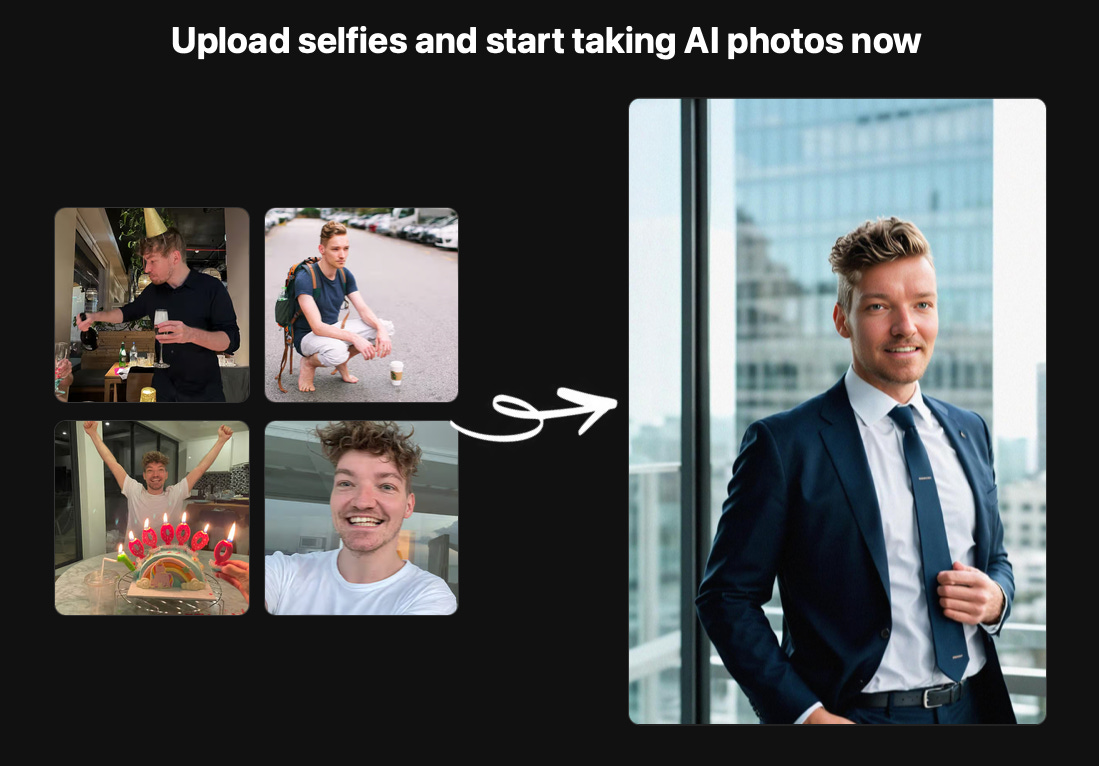
I have not used it because it costs a pretty penny: $33/month for starters with a monthly plan. But I hear good things about its results from other users.
Caveat: their Terms of Service states clearly that THEY own the copyright to the material they “make available”. Also they grant the users a license to use “solely for noncommercial and informational purposes.” Also, company seems a bit eccentric: it posts its monthly recurring revenue on its home page:

They also have related sites:
Avatar.ai generates avatars, and, more useful for the working world, a professional headshot “photoshoot” (generating a headshot from your photos) for $29, headshotpro.com:

Stable Diffusion
“AI Image Generator”
$0/month to $9.99/month
https://stablediffusionweb.com
Stable Diffusion has deployed a “Diffusion Model” method of generating images - I will not even pretend to explain it. Here is a prompt:

and the result:
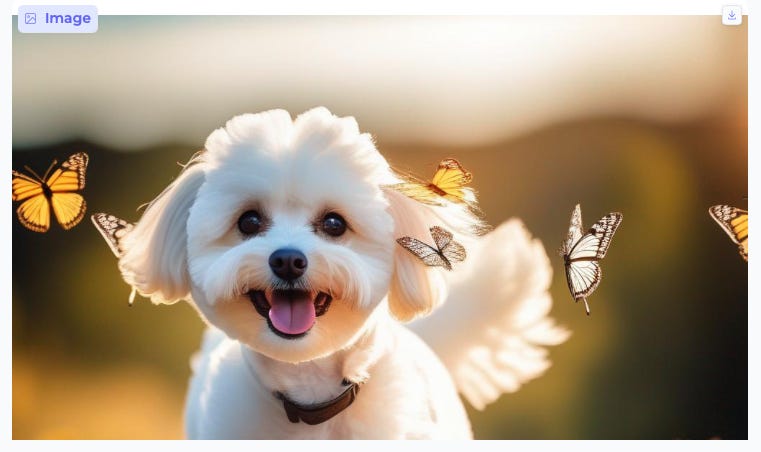
It got the Cinematic part right, with the blurred background. But the Butterfly Wings on a Dog? I guess not many training photos of that on the web.
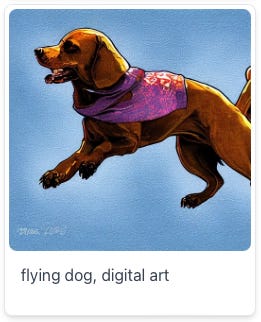
Like FireFly and a few others, they have a “prompt database” you can use to get started. For example, a search for “flying dogs” gave me a pre-made image:
Conclusion
AI is a new type of easel + canvas + paint brush. It allows us all to generate new art without having to learn a complicated tool with 100s of features. On the other hand, if generating images is critical for your job, you will benefit by experimenting and learning how to best use these tools.
Once you try out these general tools, search for more target generators for your own needs.
Next!
I am curious about how these tools help us at our work. I mean, “creators” can use the flying dog hero, but rest of us have to create diagrams, process charts, logos, art for marketing stuff etc.
I think we should also look at how we can train a tool with our specific target data and keep training it until it fits our needs perfectly. This will obviously work for a company, a division or a department, but can it work just as well for an individual employee? This custom-image-generator technology is now available through APIs and I expect them to be converted to a consumer user interface soon. Will want to review that.
Oh, and I also want to develop a list of practical applications at work. This could be a long list. With pretty much every job role in every industry affected.
Let me know how I am doing
Stay tuned and please comment on how I can make this blog better. I know this is only my second post, but I’d still love your honest brief critique, suggestions etc. Should I cover specific topics? Should I review more in-depth? Thanks!